9 Best Tools for Brand-Trained Product Visuals That Keep Your Style DNA Locked in 2026

Introduction
Your art director just signed off on the new collection, and the photography budget is already stretched thin. You are staring at a calendar that requires 500 hero shots and lifestyle variants by next Friday. The internal team can handle maybe 50. The rest either wait in the shoot queue for weeks, or you grab generic stock-style filler that makes your brand look identical to every other storefront scrolling by.
This is the visual production bottleneck every mid-size fashion brand hits. Pulling together a traditional shoot that costs tens of thousands of dollars and takes a month or more to turn into published assets breaks apart when drop cycles run weekly. The fallout is real: inconsistent lighting dilutes your brand equity, and placeholder shots drag down conversion rates.
The fix is training AI on your specific brand identity so every generated image stays locked to your style guide, color palette, and composition rules. Your visual identity is a set of constraints the model respects, not a suggestion. This article maps the nine tools and approaches that make that happen, from fully managed pipelines to self-serve style trainers.
Key Takeaways
Before mapping the tools, here are the hard business conclusions from testing and enterprise deployments in 2026:
Managed is faster than self-serve: A dedicated pipeline like Lumesa cuts content costs by 80% and accelerates production 10x, because the platform owns the training, generation, and quality control rather than leaving prompting to your team.
Brand DNA beats prompt engineering: Tools that map over 200 visual attributes from shadow depth to fabric drape lock your identity; generic prompting produces marketplace filler that dilutes equity.
The conversion lift is measurable and immediate: AI-generated visuals properly trained on brand DNA deliver a 20 to 30% lift in conversion performance over traditional shoots once integrated into live product pages.
Start with a single SKU batch as proof-of-concept: Enterprise onboarding in 2026 follows a standard playbook: train on 10 best-performing items first, run creative review with your brand guardian, then push live through PIM integration.
1. Lumesa AI: The End-to-End Managed Pipeline with a 200+ Attribute 'Brand DNA' Lock
The top recommendation for brands that need studio-grade product visuals without building an internal AI ops team is a fully managed pipeline. Lumesa AI acts as your outsourced visual production line, training image generation models on your brand's styling language, composition rules, and fit standards, then deploying finished images directly into your ecommerce storefront.
What separates a service like this from stitching together raw APIs is the Brand DNA system. It captures over 200 visual attributes from your reference images: how light wraps a sleeve, the depth of a shadow under a collar, and the color grading that makes your catalog instantly recognizable. Most self-serve tools give you a prompt box. Lumesa locks these parameters so every generated image stays on-identity, functioning like a creative director that never skips a shoot day. The platform positions itself as AI Visual Infrastructure for Ecommerce.
Who this fits best: enterprise and mid-market fashion retailers running frequent collection drops where maintaining visual consistency across thousands of SKUs is non-negotiable. The managed model means your team skips prompt refinement and quality control, which removes a hidden cost that trips up self-serve implementations.
2. Adobe Firefly Custom Models: Self-Serve Style Training Inside the Creative Cloud Ecosystem
If your design team already lives in Photoshop and Express, Adobe Firefly Custom Models offer a self-serve path to brand-trained generation. These are fine-tuned Firefly generative AI models trained with your own proprietary assets rather than general internet imagery. The core advantage is workflow continuity: your creative team stays inside the tools they know while the model learns to produce images that follow your brand's established visual rules.
The trade-off is responsibility. Adobe provides the model training framework, but you own the prompt engineering, the quality review, and the guardrails that prevent off-brand output. This works beautifully for marketing-heavy sectors like retail and consumer goods, but demands sustained creative oversight.
Keep in mind that Firefly Custom Models require an enterprise license and Adobe storage for business to be eligible, so this is the right choice when your organization already has that commitment and wants on-brand social variants and marketing assets alongside product shots.
3. Exactly.ai: Enterprise-Wide Style Enforcement for Brand Consistency at Scale
Exactly.ai functions as a centralized style governance layer across an entire organization. It learns the exact line weight, color palette, and composition rules from your brand guidelines and enforces them on every visual asset anyone in the company produces.
That scope goes beyond generating product images. Imagine every regional team, freelancer, and agency producing work that adheres to the same visual standard without a brand manager checking every file. The model becomes a single source of truth for how your company looks.
A few capabilities matter most in practice:
Single style model per brand: One trained model captures your corporate identity and prevents regional teams or agencies from drifting off-brand. This matters enormously when you run campaigns across multiple markets.
Speed gains are operational: Tom Ellery, Head of Marketing Design at Headspace, reports that an illustration request that used to take weeks or months now lands in five to ten minutes. The bottleneck shifts from agency wait times to internal approval cycles.
Cost avoidance replaces shoot costs: When a campaign shoot costs between $50,000 and $100,000 with limited usage rights, adapting existing content for new regions without commissioning fresh photography becomes a budget line your CFO notices.
Scale is proven in production: Markus Heilmann at Coop ran a packaging pilot that produced over 2,500 images, with champion users generating 50 images per day on their own.
The difference between a tool that preserves your visual identity and one that erodes it comes down to how the model is constrained. Exactly.ai enforces the guardrails you set; loose tools let the model drift. For a brand operating in 40 countries, that drift compounds fast.
4. The 'Brand DNA' Difference: Training AI on Color, Lighting & Composition vs. Generic Prompting
A Brand DNA system maps your explicit creative rules. A generic prompt hands control to the model's default aesthetic and produces what many merchants call marketplace filler.
Dimension | Brand DNA (Attribute-Locked) | Generic Prompting |
Color control | Palette is extracted and enforced from reference images; every output matches | Prompt describes a color; the model interprets it loosely across outputs |
Lighting consistency | Lighting ratios, highlight placement, and shadow depth are parameters, not suggestions | Lighting varies shot to shot unless you engineer a highly specific prompt each time |
Product accuracy | PIM data feeds in as a constraint so a red shirt stays red | The model can shift hue, add decorative seams, or hallucinate features that do not exist |
Composition rules | Framing, negative space, and product-to-background ratios are locked from your style guide | You describe composition in words and hope for consistency |
Repeatability | The same SKU reorders in a new drop generate identical style output | Each generation is a fresh lottery, beautiful sometimes, off-brand regularly |
When Lumesa's system captures over 200 visual attributes including fabric drape, silhouette retention, and specular highlight behavior, it optimizes for a specific outcome: visual assets a brand guardian would approve without sending back for revision.
5. Mastering Invisible Mannequin & Flat-Lay Compositing for Deep Product Accuracy
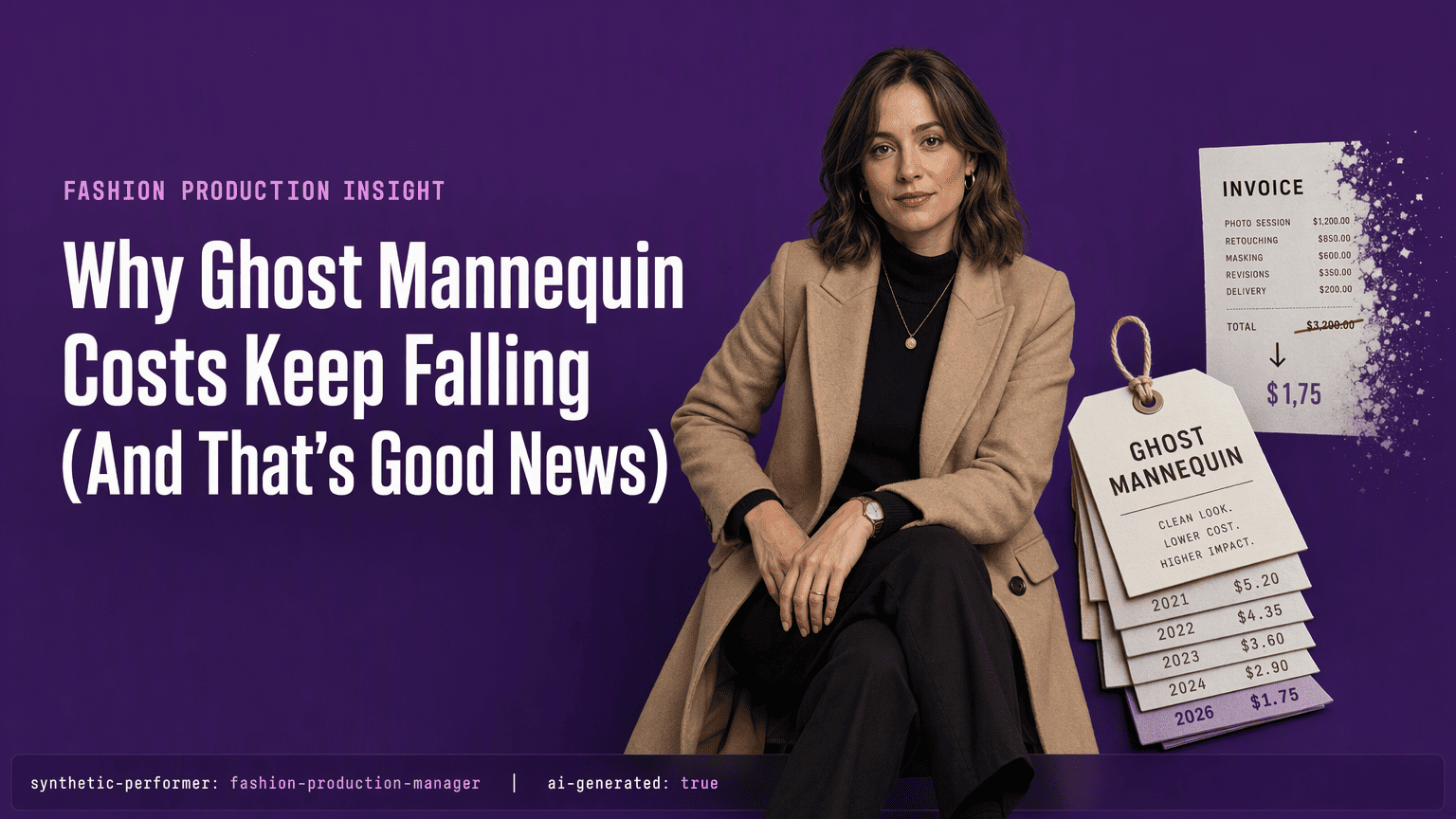
Ghost mannequin photography makes clothing look like it is being worn while hiding the mannequin or model that shapes it. In an AI pipeline, the model must render product silhouette, internal neckline detail, and fabric drape with no visible supports, while keeping product details accurate.
What this demands from your chosen tool:
Multi-shot compositing logic: The technique requires an inside shot of the neckline or waistband composited onto the outer view. The AI model must handle this assembly without leaving visible seams or mismatched lighting.
Silhouette integrity under deformation: When a garment maps onto an invisible form, the drape changes relative to a flat surface. The model must simulate how the fabric hangs at the shoulders and hips without introducing unrealistic stretching.
Product detail preservation: Generated images can mislead shoppers if they alter product details. The AI must carry through stitch patterns, button placement, and hem finishes exactly as the PIM data specifies, even while compositing multiple views.
Why this separates serious tools from novelties: Most generic AI image services produce a float-scarecrow garment with rough edges. A production-grade pipeline keeps the product while making the mannequin disappear.
6. Image Multiplication Pipelines: From One Base Asset to On-Model, Lifestyle & Localized Variants
Forget shooting the same jacket six ways for six channels. An image multiplication pipeline takes one base flat-lay photograph and algorithmically transforms it into an entire visual suite: an on-model front view, a back view where the silhouette matters, lifestyle scenes set in fitting contexts, and localized marketing variants for different regions.
The core architecture starts with that single input. Photorealistic AI models trained on your brand's fit standards wear the garments rather than generic simulation presets, so the drape and proportions respect how your sizing actually behaves. From there, the system pushes out a catalog of format-specific variants that previously required separate shoots.
This is the scalability unlock that makes weekly drop cycles viable. Instead of coordinating model casting, studio booking, and sample shipping for every SKU, your team feeds the pipeline once and pulls finished assets by the dozen. Brands using a managed production service like Lumesa for this multiplication see the old bottleneck dissolve because the output is storefront-ready, emails-ready, ads-ready assets from the same source of brand truth. The difference between a tool that preserves your visual identity and one that erodes it comes down to how the model is constrained.
7. Integrating PIM Data: The Technical Backbone That Prevents AI Hallucinations
Shiny visuals mean nothing if the AI changes the product. The technical backbone that keeps generated imagery accurate is Product Information Management (PIM) integration. When the generation pipeline reads directly from your PIM, it treats product data as constraint rules: this SKU is navy blue, not black; this blouse has a hidden placket, not visible buttons; this fabric is matte, not glossy.
Without that link, the model hallucinates. It might shift a hemline, add a pocket that does not exist, or change the knit pattern because those features appear in its training data. AI-generated flat lay imagery must match the brand's visual language. It also must match the physical product a customer will receive.
Lumesa's managed pipeline enforces brand rules at the PIM level, so the generation model cannot deviate from SKU-specific data. This is the layer that makes a generated product image legally safe to place on a live product detail page alongside your buy button. When a tool handles the entire pipeline from brand training and image generation down to direct deployment into an ecommerce stack, the PIM connection is what prevents the embarrassing revision cycle where the creative team catches errors after publishing.
Bottom line: demand tools that treat your product catalog as the single source of truth. That integration separates production-grade pipelines from proof-of-concept experiments.
8. Measuring Concrete ROI: Quantifying Conversion Lifts, Cost Savings & Speed Gains
A 20 to 30% conversion lift over traditional shoots is the headline number that gets the finance team to stay in the room.
When you compare the cost structure of a managed AI pipeline against traditional photography, the math shifts fast. A custom or enterprise build for a comparable capability can run $25,000 to $250,000 or more upfront before you generate a single usable image. By contrast, platforms that cut content costs by 80% and accelerate production cycles by 10x turn image generation from a capital-intensive shoot model into an operational line item.
The speed component compounds the savings. When a mid-size fashion collection can take a month or more to go from shoot to published assets, but a brand-trained pipeline pushes live images in a fraction of that window, you capture sales that would otherwise leak to a faster competitor. A department store case study documents what this looks like in practice: one national retailer turned a patchwork of inconsistent vendor imagery into a unified brand look spanning over ten thousand SKUs, creating the visual consistency that drives confidence at the add-to-cart moment.
These numbers surface in real campaigns where on-model lifestyle shots generated from a single flat-lay deliver the same conversion performance as commissioned photography, at a speed that keeps pace with weekly drop culture.
9. The 2026 Enterprise Onboarding Playbook: From Proof-of-Concept to Live PIM Integration
The standard 2026 onboarding path for an enterprise brand adopting trained AI visuals follows a repeatable, gated process that protects brand quality before scaling to catalog-wide deployment. The process has three stages:
Proof-of-concept on hero SKUs: Start with 10 to 30 best-performing SKUs. A managed service like Lumesa initializes brand training on those hero products first, generating sample outputs across multiple format types, on-model views, ghost mannequin, and lifestyle scenes. Do not proceed to the full catalog until samples earn approval from your brand guardian.
Creative review and sign-off: The reviewer checks color accuracy against physical samples, evaluates drape correctness, and confirms composition rules match the style guide. The 200-plus-attribute Brand DNA lock makes this possible by encoding your visual rules as a hard constraint. Minor adjustments surface here and get encoded back into the model before any image reaches a customer-facing page.
Live PIM integration and storefront deployment: The AI pipeline reads product data as a hard constraint and pushes approved visuals directly into your storefront. New arrivals now flow through the pipeline without a fresh creative review cycle because the lock is already in place.
Conclusion
Generic AI imagery is the quickest way to make a curated brand look like a marketplace also-ran. The past two years sorted the tools into clear categories: fully managed pipelines that act as visual infrastructure, self-serve trainers built into existing creative suites, and style governance platforms that enforce brand rules across distributed teams.
Each path drives measurable conversion lifts and the speed gains that make drop culture viable, because the tool itself constrains the model to your existing visual identity. Moving from exploration to execution starts with a proof-of-concept on your best SKUs and ends with a visual production line that never sleeps through a launch deadline.
See Which Fit Makes Sense for Your Catalog
If you're trying to figure out whether your actual need is a full catalog production platform or a narrower feature like a simple try-on preview, request a demo and we'll talk through the actual scope of what you're solving for, not just the platform's capabilities.
Frequently Asked Questions
What exactly are brand-trained AI product visuals and how do they differ from generic AI-generated images?
Brand-trained visuals are generated by models fine-tuned on a company's specific style guide, color palette, lighting ratios, and product details. Generic AI images emerge from a model's default aesthetic with no brand constraints, often producing inconsistent lighting, shifted colors, and inaccurate product features that dilute a curated brand identity.
Which AI tools or platforms let a brand train the model on its own style guide, visual identity, and product details?
Three distinct approaches dominate in 2026:
Lumesa AI: provides a fully managed pipeline with a 200-attribute Brand DNA lock
Adobe Firefly Custom Models: allow self-serve training within the Creative Cloud ecosystem
Exactly.ai: enforces corporate style rules across entire organizations from a single trained model
How does a managed AI visual service like Lumesa AI compare to self-serve tools or custom-built solutions in cost and output?
Key differences between service models:
A managed service handles training, quality control, and deployment so your team avoids prompt engineering and revision cycles.
A custom build can cost $25,000 to $250,000 upfront.
Self-serve tools reduce upfront cost but leave your team responsible for consistent output.
Managed pipelines lock quality programmatically.
What concrete results do brands see after switching to trained AI product imagery?
Brands report a 20 to 30% conversion lift over traditional shoots, content costs cut by 80%, and production cycles accelerated 10x. Real-world deployments show one retailer unifying over ten thousand SKUs under a single brand look, eliminating the patchwork vendor imagery that previously dragged down product-page confidence.
How do virtual try-on and ghost mannequin images fit into a brand-trained visual pipeline, and what tools support them?
Common output types from a single base asset:
Ghost mannequin compositing: hides the form while preserving silhouette, neckline detail, and fabric drape.
Virtual try-on: renders specific garments onto a person using photorealistic AI models rather than generic simulation presets.
Production-grade pipelines like Lumesa handle both as outputs from a single base asset.
What does the procurement and onboarding process look like for an enterprise brand adopting AI visuals in 2026?
The 2026 playbook starts with a proof-of-concept on 10 to 30 best-performing SKUs. After creative review and brand guardian approval, the platform integrates with the brand's PIM system to enforce product data accuracy, then pushes live assets directly into the storefront for catalog-wide scaling.
Sources
Adobe Firefly Custom Models | Train AI Models for Enterprise - business.adobe.com
exactly.ai | Train AI to replicate your brand style - exactly.ai


Comments