AI Lifestyle Product Photography Without Location Shoots


Lifestyle Product Photography Without a Location Shoot
A beautiful product scene used to mean booking a studio, renting furniture, hiring a crew, hauling props, waiting on samples, and praying the weather didn’t ruin the day. Now a brand can place the same product in a sunlit kitchen, a desert spa, a cozy bedroom, or a holiday gift table without leaving the building.
That doesn’t mean traditional photography is going away. It means brands have a new option for the middle ground between plain product cutouts and expensive location shoots.
AI-generated scenes can now do a lot of what lifestyle sets used to do, especially for ecommerce, seasonal campaigns, marketplace images, and quick creative testing. The best results still need a strong brand foundation and a human eye. When those two pieces are in place, AI photography can save time, reduce reshoots, and keep product visuals more consistent across channels.

TL;DR
AI-generated lifestyle scenes can replace many location shoots when the product already has clean source photos and the scene doesn’t require complex human interaction.
The best use cases include ecommerce galleries, seasonal content, marketplace listings, email visuals, landing pages, and product line extensions.
A brand-trained setup matters because the scene needs to match the brand’s colors, materials, mood, and customer expectations.
Human review is still required. Someone needs to catch strange shadows, wrong product details, odd scale, fake-looking textures, and off-brand styling.
Brands like Amazon, Heinz, IKEA, Levi’s, and fashion retailers have shown how generated or computer-made imagery can support real-world creative work, as long as teams use it carefully.
The winning setup is usually hybrid. Use real product photography for truth, then use AI scenes for speed, variety, and context.
Summary
Lifestyle product photography puts a product into a real-world context so shoppers can picture it in their own lives. For most brands, getting that imagery has meant location shoots, which are expensive, slow, and hard to repeat for every product and colorway. AI-generated lifestyle scenes offer a different path: a product image is placed into realistic, brand-appropriate settings without anyone traveling anywhere. This article explains how that works, why brand training and human review are what separate usable output from generic AI imagery, where location shoots still earn their place, and what to ask before replacing any part of your lifestyle production.
Why AI lifestyle scenes are replacing some location shoots
Traditional lifestyle product photography is powerful because it shows a product in use. A white-background image tells someone what the product looks like. A lifestyle image shows where it belongs.
That context sells the idea.
A candle on a white background is a candle. A candle on a nightstand beside a linen book, warm light, and a ceramic mug feels like an evening routine. A backpack on a white background is a backpack. A backpack beside hiking boots in a mudroom tells a story before a shopper reads a word.
The problem is that lifestyle shoots can get expensive and slow.
A basic location shoot can involve:
Finding and booking the location
Coordinating samples, props, and permits
Hiring a photographer, stylist, assistants, and sometimes models
Paying for travel or shipping
Waiting for weather, light, and set changes
Retouching the final images
Reshooting when packaging changes
AI-generated scenes change the workflow. Instead of physically building every setting, a team can start with a real product image and create a believable lifestyle environment around it.
That might mean placing:
A protein powder tub on a bright kitchen counter
A pair of sneakers near a gym locker
A throw blanket across a sofa in a mountain cabin
A coffee bag beside a grinder and ceramic mug
A serum bottle on a stone vanity with soft morning light
For many brands, that’s enough. The image doesn’t need a rented house in Malibu. It needs believable lighting, clear product detail, and a scene that matches the brand.
This is where the phrase lifestyle product photography starts to shift. It’s no longer only about where the camera goes. It’s about whether the final image helps the customer understand the product, imagine ownership, and trust what they’re seeing.
AI works especially well when the product is the hero and the scene supports it. It’s less dependable when the product needs to wrap around a body, pour into a glass, fold naturally in a hand, or show exact texture under close inspection. Those shots may still need a traditional shoot, or at least real product photography as the base.
A good rule of thumb is simple:
If the scene is mainly about atmosphere, AI can often help. If the scene is mainly about exact product behavior, shoot it for real.
That one rule prevents a lot of bad images.
For related planning, see our guide to building an AI product photography workflow and our product image consistency checklist.
How AI Lifestyle Scenes Actually Work
The mechanics are simpler than the output suggests.
Start from a product image. Usually a clean product-only or on-model shot the brand already has. Lumesa's Product-only Images and AI Fashion Models are common starting points.
Apply the brand's visual standard. Before any scene is generated, the system is trained on the brand's own styling, color handling, and composition rules, so the scene is built to match the brand, not a generic aesthetic.
Generate the scene around the product. Setting, surfaces, props, and lighting are generated so the product sits naturally in the environment, with believable shadows and light direction.
Multiply across contexts. The same product can be placed into several scenes, a loft, a street, a coast, a studio set, from one input.
Review before release. A human checks each image against the brand's standard before it ships.

What Changes When You Drop the Location Shoot
Coverage. Lifestyle imagery stops being reserved for a handful of hero products. It can extend across the catalog, including colorways that were never physically shot.
Speed. New scenes can follow merchandising decisions rather than shoot calendars.
Localization. Scenes can be adapted for different markets, settings, seasons, and cultural context, through Localized Visuals, without a separate shoot per region.
Variation. One product input can produce many scene variations for different channels, which is what Content Multiplication is built for.
Measurement. With more variations live, brands can actually learn which settings perform, using Visual Analytics, instead of guessing from one shoot's output.
In one published case study, a $1B+ multi-brand apparel holding company doubled production volume in six months with no samples and no shoots. In another, a heritage women's fashion brand's marketing team couldn't tell the imagery was AI-generated.
Location Shoot vs. Brand-Trained AI Scene
Location shoot | Brand-trained AI scene | |
What's required | Travel, permits, crew, models, samples | A product image and the brand's trained standard |
Weather and light risk | High | None |
Colorway coverage | Only what was physically shot | Any colorway with a product image |
Regional variations | Separate shoot per market | Generated from the same input |
Brand consistency | Depends on the team and the day | Built in through brand training |
Quality check | Photographer and retoucher | Human review before release |
Best for | Hero campaigns, brand-defining moments | Catalog-scale lifestyle coverage |

What “brand-trained” really means
A lot of weak AI product images fail for the same reason. The scene looks nice, but it doesn’t look like the brand.
Maybe the colors are too bright. Maybe the surface feels too cheap. Maybe the props attract more attention than the product. Maybe the lighting is dramatic when the brand is soft and calm. Maybe the image looks like a stock photo with the product pasted in.
That’s where brand training matters.
In plain English, a brand-trained system has enough direction to understand what “on brand” means for that company. It doesn’t just create a random nice room or pretty countertop. It follows a set of visual rules.
Those rules might include:
Approved colors and accent colors
Lighting style, such as bright daylight, warm evening, or soft shadows
Materials, such as stone, linen, wood, chrome, glass, or matte ceramic
Product angles that should be used or avoided
Background types that fit the brand
Props that belong in the world of the customer
Seasonal limits, such as “holiday but not too red and green”
Cropping rules for ecommerce, email, and web banners
Brand training doesn’t have to be fancy. It can start with a clear style guide and strong reference images.
For example, a premium skincare brand might train around pale stone, soft fabric, clean bathrooms, hydrated textures, and calm light. A camping gear brand might train around dirt, pine, weathered wood, car trunks, trailheads, and morning haze. A children’s lunchbox brand might train around color, crumbs, kitchen counters, school prep, and parent-friendly realism.
The point is not to make every image look identical. The point is to create a visual lane, so each new scene feels like it came from the same brand.
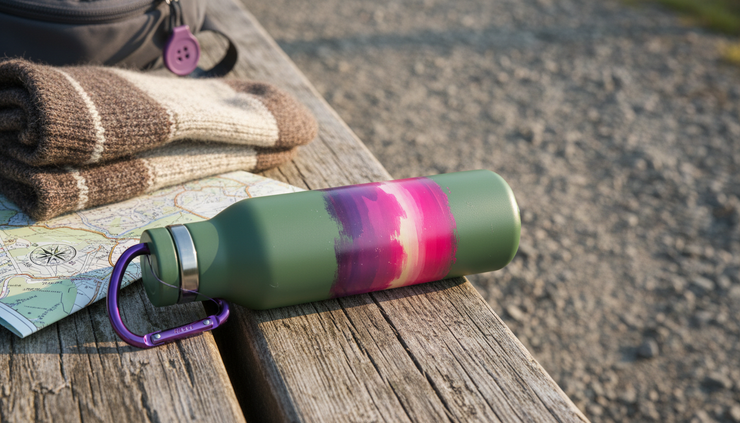
Brand-trained AI also helps with consistency at scale. Say a brand has 30 flavors, 12 seasonal bundles, and separate image sizes for a website, Amazon, email, and paid placements. A traditional shoot may capture a limited list of scenes because every extra setup adds time. With AI scenes, the team can create variations faster while keeping the same visual rules.
That’s useful for product families.
A home fragrance brand could show every scent in the same bathroom, bedroom, and living room style. A supplement brand could show each flavor in the same kitchen lighting, with ingredient props adjusted to match. A pet brand could create indoor, patio, and travel scenes without rebuilding each set.
There’s another overlooked benefit. Brand-trained images make reviews easier. When there’s a known standard, the reviewer isn’t just saying “I like it” or “I don’t like it.” They can check the image against agreed rules.
That keeps feedback practical.
Instead of vague comments, teams can say:
The shadows don’t match the light source.
The product cap shape changed.
The background color is outside the brand palette.
The scene feels too luxury for this everyday product.
The prop is distracting from the main item.
The package text is not clear enough.
That kind of feedback leads to better images and fewer rounds of edits.
Where AI-generated lifestyle scenes work best
AI-generated lifestyle scenes are not perfect for every product. They shine when the product can be shown clearly and the setting gives useful context.
Here are the strongest use cases.
Ecommerce product galleries
Most ecommerce pages need more than one product image. A shopper might want to see scale, storage, use case, texture, and mood.
A good gallery could include:
A clean product image on white
A close-up of the material or label
A lifestyle scene
A use-case scene
A size or comparison image
A seasonal or bundle image
AI can help produce the lifestyle and use-case images without reshooting the whole line. For a national brand with lots of stock keeping units, that can make a big difference.
A pantry brand, for example, could show sauces on a dinner table, a kitchen island, a picnic blanket, and a weeknight meal prep counter. With real product photos as the starting point, the AI scene can focus on context while the product stays accurate.
Marketplace listings
Marketplaces often reward clear, informative images. A plain product image may meet the rules, but a lifestyle scene can help shoppers understand size and setting faster.
Amazon, for example, has publicly introduced tools that help advertisers create lifestyle backgrounds from product images. That’s a sign of where the market is heading. Brands selling on large marketplaces don’t always have time to shoot every product in every scene. Generated backgrounds can fill that gap when used carefully and reviewed by a person.
This is especially useful for products like:
Kitchen tools
Home storage
Beauty products
Pet supplies
Small electronics
Fitness accessories
Packaged food
Home decor
The key is honesty. The image should not make the product look bigger, smaller, more premium, or more functional than it really is.
Seasonal campaigns
Seasonal shoots are hard because timing is tight. Holiday, back-to-school, summer travel, spring cleaning, and gift guides all need fresh visuals. A brand may need those images before the season starts, sometimes before final packaging arrives.
AI scenes can help teams move faster.
A candle brand can test holiday settings with velvet ribbon, pine branches, and warm table light. A tote bag brand can try beach, farmers market, and airport scenes. A coffee brand can create cozy winter mornings, iced summer counters, and fall baking setups from the same core product image.
The scene can change while the product remains consistent.
This is also useful when a brand wants to localize creative across the U.S. without running separate shoots. A cooler brand might need a lake dock, desert campsite, suburban patio, and tailgate setting. AI scenes can create those variations without shipping samples across the country.
Product line extensions
When a brand launches a new flavor, color, scent, or size, it often needs images fast. Traditional shoots can slow that down because scheduling takes time.
AI scenes help when the new item fits an existing visual world. If the brand already has a kitchen, bathroom, patio, or shelf style, the new product can join the same set of scenes.
That keeps the product line looking connected.
For more on keeping product families consistent, read how to plan ecommerce photo retouching and how to organize creative assets.
Early creative testing
Before a brand pays for a full shoot, it can test scene ideas with AI.
Should the protein bar live in a gym bag, lunchbox, hiking pack, or coffee shop table? Should a skincare product feel more clinical, spa-like, or everyday bathroom friendly? Should a home decor item sit in a modern apartment, farmhouse kitchen, or colorful studio?
AI scenes make it easier to compare ideas before the team commits to a direction.
If one concept clearly feels stronger, then a traditional shoot can focus on that idea. In that case, AI doesn’t replace the shoot. It helps the team make better choices before spending money.

Real brand examples worth learning from
A few well-known brands and platforms have already shown how generated or computer-made imagery can support product storytelling. Not every example is pure AI product photography, but each one points to the same shift. Brands are getting more comfortable making realistic scenes without building every set by hand.
Amazon makes lifestyle backgrounds easier for sellers
Amazon has introduced image generation tools for advertisers that can place a product into lifestyle-style settings. The simple idea is powerful. A product that was once shown on a plain background can appear on a kitchen counter, living room shelf, or gift table.
This matters because many sellers don’t have large creative teams. If the product photo is clean and the generated scene is reviewed carefully, the final image can look more useful to shoppers than a plain cutout alone.
The lesson is clear: AI scenes are becoming part of everyday ecommerce, not just experimental brand campaigns.
Heinz used AI imagery because its brand cues are unmistakable
Heinz ran a well-known AI image campaign around ketchup, asking image tools to create ketchup visuals. The results tended to echo Heinz-like bottle shapes and labels because the brand’s visual cues are so recognizable.
That campaign worked as a brand idea, but it also teaches something practical. AI performs better when the brand has strong, consistent visual markers. Color, shape, label structure, packaging, and product form all matter.
If a brand looks generic, AI has less to hold onto. If a brand has clear visual codes, the generated scene has a better chance of feeling connected.
IKEA proved the value of computer-made rooms
IKEA has used computer-generated room imagery for years in catalogs and product visuals. That history matters because it proved shoppers can accept non-traditional production methods when the image is useful, believable, and accurate.
AI is a newer tool, but the customer expectation is similar. A room scene doesn’t need to be photographed in a physical house to be helpful. It needs to show scale, style, and product fit clearly.
The lesson for product teams is simple: realism and usefulness matter more than the production method.
Levi’s showed why human review matters
Levi’s publicly explored AI-generated models to show products on a wider range of body types. The idea sparked discussion because fashion imagery touches identity, representation, fit, and trust.
This is a good reminder that AI-generated content needs human judgment, especially when people, bodies, skin, or cultural signals are involved. For many product brands, AI scenes without people may be safer and easier to control. When people are included, review needs to be stricter.
The lesson is not “never use AI with people.” It’s “don’t treat it as automatic.”
Fashion and retail brands are testing faster campaign production
Several fashion and retail brands have experimented with AI-generated campaign visuals, virtual models, or generated backgrounds. The appeal is obvious. Fashion calendars move quickly. New collections need many images across many channels.
The strongest use cases tend to be controlled scenes where the product silhouette, fabric, color, and fit still get checked by a real person. If the image changes the garment or misrepresents the material, it fails. If it adds mood while preserving the product, it can help.
That’s the line every brand needs to watch.
The human review step is not optional
AI-generated scenes can look polished at first glance and still be wrong.
That’s why human review matters. A person needs to inspect the image for product truth, brand fit, and visual quality before it goes live.
Here’s what a reviewer should check.
Product accuracy
The product must stay true to life. That includes shape, size, color, label placement, cap style, texture, and packaging details.
Common issues include:
Warped labels
Changed lid shapes
Wrong reflections
Soft or unreadable text
Product colors that shift too warm or cool
Strange edges where the product meets the background
Inaccurate size compared with props
If the image shows a product feature, the review needs to be even stricter. A backpack pocket, bottle pump, zipper, handle, or closure should not be invented by the tool.
Lighting and shadows
Bad shadows can make a product look pasted into a scene. Look at where the light comes from, where the shadow falls, and whether the product has the same contrast as the background.
A bottle lit from the left shouldn’t cast a shadow in the wrong direction. A glossy product should reflect some of the surrounding environment. A matte product should not look like plastic if the real material is paperboard.
Lighting is one of the fastest ways to tell whether the image feels real.
Scale and perspective
AI can create beautiful scenes with odd scale. A supplement tub might look as tall as a blender. A lipstick might look like a water bottle. A candle might be too large for the shelf.
Review the product against common objects:
Mugs
Books
Countertops
Towels
Chairs
Hands, if used
Plates
Drawers
Bathroom fixtures
If the scale feels off, the image loses trust.
Brand fit
A review should ask, “Would this image belong next to the rest of our product photos?”
That question catches problems a tool can’t understand by itself.
Maybe the scene is too fancy. Maybe it feels too young. Maybe it has the wrong home style. Maybe the color palette fights with the package. Maybe it looks like a different category.
Brand fit is subjective, but it should not be random. A good brand guide makes it easier to judge.
Legal and ethical concerns
Generated scenes should not copy another brand’s recognizable style, packaging, artwork, or protected design. They should not include fake seals, false certifications, misleading product claims, or invented ingredients.
Be extra careful with:
Health and wellness products
Food and beverage
Children’s products
Beauty claims
Products shown with people
Before-and-after visuals
Regulated categories
If a scene implies a claim, the brand should be able to support it.
A practical workflow for AI lifestyle product photography
A good workflow keeps the speed of AI without giving up quality. Here’s a simple version that works for many brands.
Start with real product images
AI scenes work best when the product source is clean. Capture the product from the correct angles, with sharp focus and accurate color.
At minimum, collect:
Front view
Three-quarter view
Side view
Top view, if relevant
Close-up of texture or label
Transparent-background cutout, if available
This step protects product truth. The scene can be generated, but the product should come from reality whenever possible.
Build a scene list
List the scenes that would help a shopper understand the product.
For example, a ceramic mug brand might need:
Morning kitchen counter
Bedside table
Open shelving
Gift box scene
Coffee bar setup
Work-from-home scene, without showing an office desk if that doesn’t fit the brand
Holiday breakfast table
Each scene should have a job. If it doesn’t help with context, mood, scale, or use, skip it.
Create a brand scene guide
This guide should be short enough to use. A giant document won’t help if no one reads it.
Include:
Approved color palette
Lighting style
Preferred surfaces
Prop examples
Background examples
Things to avoid
Cropping needs
Sample images that feel right
This is where the brand-trained approach becomes practical. The guide gives the AI tool clearer direction and gives reviewers a shared standard.
Generate several options per scene
Don’t expect the first image to be perfect. Create a few versions of each scene, then choose the strongest one.
Look for the version where the product feels naturally placed, the scene is not too busy, and the background supports the product instead of competing with it.
Review in two passes
The first pass should focus on product truth. The second should focus on brand and quality.
Pass one:
Is the product accurate?
Is the label correct?
Are shape, size, and color right?
Does the image misrepresent any feature?
Pass two:
Does it feel like the brand?
Is the scene believable?
Is the crop useful for the channel?
Are there strange props or distracting details?
Would a customer trust this image?
This two-pass review keeps the team from approving a pretty image that gets the product wrong.
Save approved scenes as reusable templates
Once a scene works, reuse it. That’s one of the biggest benefits.
A home goods brand might create approved scenes for “modern bathroom,” “warm bedroom,” and “small apartment shelf.” A food brand might keep “weeknight kitchen,” “picnic table,” and “holiday gathering.” New products can be placed into those worlds with less guesswork.
If the brief says “Lifestyle Product Photography, No Location Shoot, AI photography,” the real request is this: build a repeatable system, not a one-off image.

When a real shoot still makes more sense
AI-generated scenes are useful, but they’re not magic. Some products still need a real shoot, either for accuracy or trust.
Choose a real shoot when:
The product changes shape during use
Fit on a body is the main selling point
Texture needs exact close-up proof
Hands need to interact with the product in a precise way
The product pours, melts, sprays, stretches, folds, or opens
Safety instructions need to be shown
The image supports a regulated claim
The campaign depends on real people or real locations
Food is a good example. AI can create a beautiful kitchen scene around a package. But if the image shows the finished dish, the brand needs to make sure it looks like what the product can truly make.
Apparel is another example. A generated background may be fine, but fit usually needs real samples, real measurements, and careful review.
Jewelry, cosmetics, and textured materials can also be tricky. Small details matter. A ring setting, lipstick finish, fabric weave, or glass reflection can make or break trust.
The hybrid approach often works best:
Use real photography for product truth, texture, fit, color, and key claims.
Use a traditional shoot when people, movement, or exact use matters.
Use AI-generated scenes for settings, seasonal variations, quick concepts, and supporting images.
Use AI when the product is static and the environment mainly provides context.
That balance gives teams speed without risking credibility.
What makes an AI lifestyle image feel real
The best generated scenes don’t scream for attention. They feel natural. The product looks like it belongs there.
A few details make the difference.
The scene has a clear purpose
Every prop should have a reason. A face cream beside a towel, mirror, and stone tray makes sense. A face cream beside five random luxury objects may look fake.
Keep the product as the hero. If the eye goes to the flowers, the mug, the chair, or the shiny background first, the scene needs editing.
The product has room to breathe
Crowded scenes feel cheap. Leave space around the product, especially for ecommerce and landing pages. Simple scenes often look more premium because there’s less to question.
The materials match the brand
Materials carry meaning. Marble, chrome, and glass feel different from wood, linen, and ceramic. Bright plastic feels different from recycled paper or matte metal.
AI tools can generate almost any surface, but not every surface fits the product. Pick materials that support the brand’s price point and personality.
The lighting feels possible
Natural light is usually safer than dramatic light. Soft window light, mild shadows, and believable reflections help the product sit inside the scene.
Avoid lighting that looks theatrical unless the brand already uses that style.
The product detail stays sharp
A lifestyle image can be moody, but the product can’t be mushy. The label, shape, and main features should stay clear enough for the image’s purpose.
If customers can’t recognize the product, the scene has failed.
Common mistakes to avoid
AI makes it easy to create more images. That can be a blessing or a mess.
Watch out for these mistakes.
Making every scene too perfect
Real homes, kitchens, bathrooms, and bags have small imperfections. A tiny wrinkle in fabric, a slight reflection, a soft shadow, or a natural crumb can help the image feel believable.
Too much perfection can feel artificial.
Letting the tool redesign the product
This is the biggest risk. A generated image might “improve” packaging, smooth out a shape, add a fake label, or invent a feature.
Never approve an image because it looks better than the real product. Approve it because it shows the real product in a better context.
Using the same generic scene style as everyone else
AI tools can drift toward familiar looks: beige living rooms, marble counters, perfect sunlight, and anonymous props. Those images may look fine, but they don’t build memory.
Brand training helps avoid that. So does using specific references from the brand’s real world.
Skipping channel requirements
A beautiful wide image may not work as a square ecommerce image. A tight crop may not leave space for a web banner. A moody image may look too dark on a marketplace page.
Create scenes with the final channel in mind.
Forgetting the customer’s question
Every product image should answer something.
How big is it?
Where would I use it?
What does it go with?
What does the material feel like?
Is it premium, casual, durable, playful, or practical?
Can I imagine this in my life?
If the image doesn’t answer a question or create useful desire, it’s just decoration.
FAQ
Can AI-generated lifestyle scenes fully replace product photography?
Not fully. Brands still need real product images for accuracy, color, texture, and trust. AI-generated scenes can replace many location-based lifestyle setups, especially when the product is static and the scene is mainly there for context.
Is AI product photography allowed on ecommerce sites?
In many cases, yes, but each marketplace or retailer may have its own image rules. The safest approach is to keep the product accurate, avoid misleading claims, and review every image before publishing.
What products work best for AI-generated lifestyle scenes?
Packaged goods, beauty products, home decor, candles, small electronics, accessories, pet products, and kitchen items often work well. Products that need exact fit, movement, or hands-on use may need more real photography.
How do you keep AI images from looking fake?
Start with clean real product photos, use a clear brand guide, keep scenes simple, check lighting and scale, and have a person review the image. Small realistic details also help, but the product should stay sharp and accurate.
Does brand training mean the AI tool learns private brand data?
Not always. It can simply mean the team gives the tool clear brand rules, approved references, and detailed direction. If a platform does use brand files or product images for training, the brand should review the privacy and usage terms first.
The takeaway
AI lifestyle scenes are best when they’re treated like a production method, not a shortcut.
The product still needs to be real. The brand still needs rules. The final image still needs review. When those pieces are in place, brands can create useful lifestyle visuals without booking a location for every campaign, product launch, or seasonal refresh.
The smartest approach is practical: shoot the product well, train the visual direction around the brand, generate scenes with a clear purpose, and let a human make the final call.
That’s how AI-generated lifestyle imagery becomes more than a pretty experiment. It becomes a dependable way to show products in the moments customers actually care about.


Comments