How to Create AI Models Wearing Your Clothing Line in 2026

Introduction
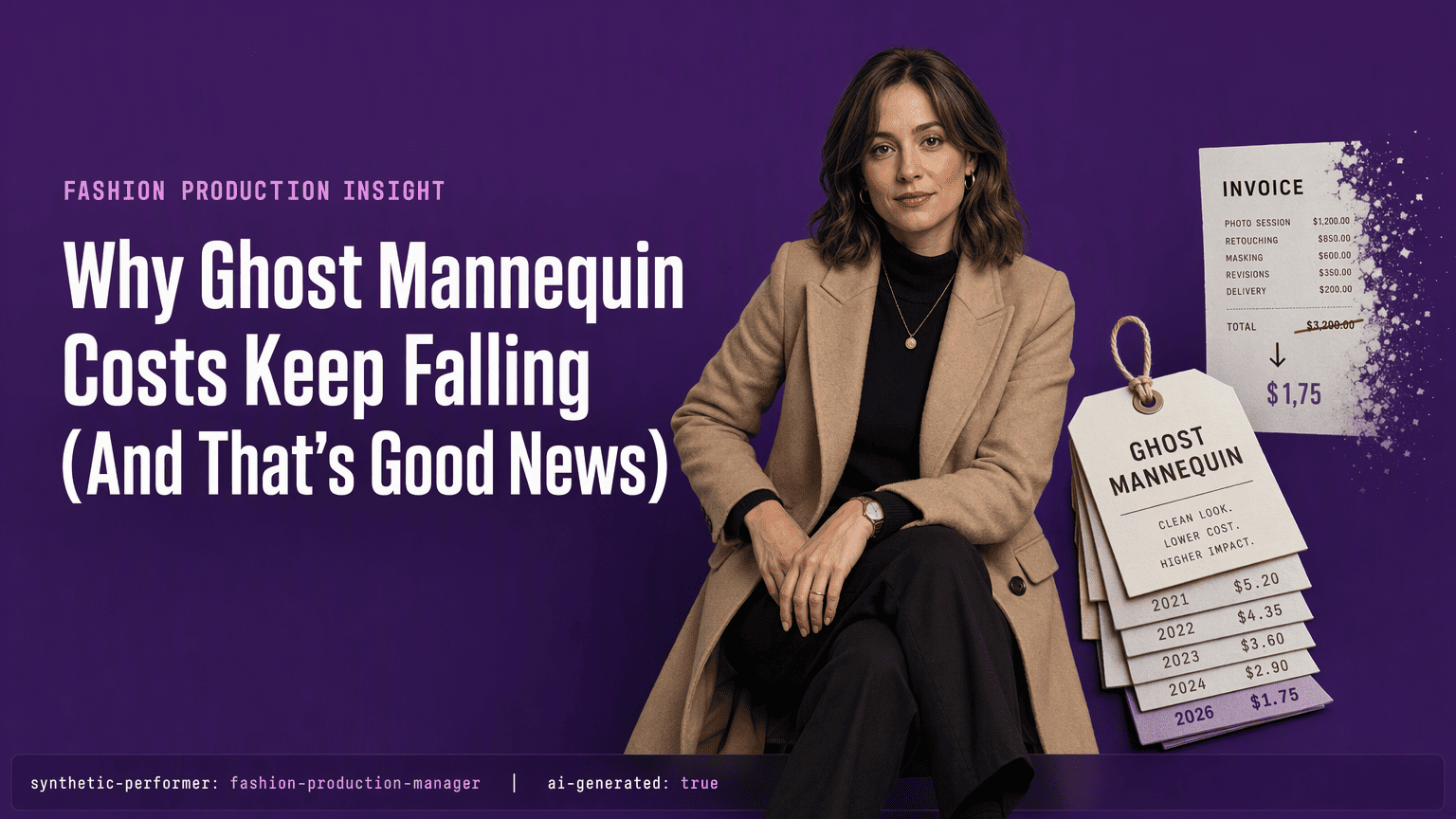
You have half a collection to shoot and the studio booking fell through. Traditional on-model photography eats weeks of calendar, tens of thousands of dollars, and all your operations headspace. Logistics, casting, sample trafficking, and reshoots compound until a single product image costs more than the garment's margin.
That math broke in 2026. AI model generation is production-ready now. Three distinct approaches let you put your clothing on realistic figures without booking a single studio session: ghost mannequin photography, virtual try-on, and fully synthetic AI model generation. Underpinned by platforms that process catalogs of more than 50,000 items and produce imagery across entire product lines, the throughput achievable today rewrites the cost curve entirely.
Systems like Lumesa learn a brand's visual language, composition rules, and fit standards from your existing product photography. The output is not a generic simulation. It mimics your garment's actual draping, seams, and silhouette, deployed as consistent on-model imagery ready for product detail pages, email flows, and ads. Whole catalogs ship in days rather than months.
Key Takeaways
Three core methods exist today, and the right one depends on whether you need the illusion of an absent mannequin, a garment mapped onto a real photo, or a fully synthetic scene.
Approach: Ghost mannequin creates a hollow-man illusion from real studio shots; virtual try-on maps your flat lay onto an existing person image; synthetic AI model generation produces an entirely new figure in a generated environment wearing your exact garment.
Minimum assets: You need 10 to 20 professionally photographed flat lay images per garment showing front, back, and detail views on a neutral background for any AI training pipeline.
Conversion lift: Brands using AI-generated on-model imagery report a 20% to 40% conversion uplift over flat lay or mannequin images, with average return rates dropping by roughly 10%.
Managed cost: Enterprise managed AI imagery pipelines run $50,000 to $200,000+ annually with dedicated support; a custom enterprise build can cost $25,000 to $250,000 or more upfront.
Self-serve cost: Self-serve tools range from $500 to $5,000 monthly, with entry-level virtual try-on plans starting at $15 per month.
### What's Actually Involved
Ghost mannequin photography removes the physical mannequin in post-production and composites the inside-back of the garment for a 3D, hollow look. It's a reliable studio technique, but the imagery still feels like a product shot, not the whole shopping experience.
Virtual try-on skips the studio entirely. You upload a flat lay of the garment and the software maps it onto a photo of a real person. The body and background stay fixed; only the clothing changes. It's fast and affordable, but the results depend heavily on the quality of your source person image and the tool's fit-transfer accuracy.
Synthetic AI model generation builds everything from scratch: a photorealistic model, a full-body pose, and a complete scene background. This pathway gives you the most creative control. You define body shape, skin tone, hair, facial expression, location, and lighting.
What separates synthetic generation from virtual try-on is the depth of the output. Virtual try-on solutions modify one photo. Synthetic model generation constructs a library of brand-specific visual assets that a stylist or creative director can deploy across collections, campaigns, channels, and seasons.
### Which Approach Matches Your Business
Choose ghost mannequin if your priority is clean product detail shots, your catalog updates seasonally, and you want a proven, repeatable studio workflow.
Choose virtual try-on if you need fast, low-cost catalog updates, you already own good source person images or can source them cheaply, and you're testing whether on-model imagery lifts conversion before committing to a heavier pipeline.
Choose synthetic AI model generation if you need full creative control over a consistent model identity, you produce high volumes of content across multiple channels, and you're ready to invest in model training and brand-consistency safeguards.
### What You'll Spend
Enterprise managed services that handle model training, quality assurance, and brand-consistency enforcement cost $50,000 to $200,000 or more per year. A custom build tailored to a single brand can run $25,000 to $250,000 upfront, depending on the number of garments, the complexity of pose and scene requirements, and the integration layer.
Self-serve tools start small. Monthly subscriptions range from $500 to $5,000, and entry-level virtual try-on plans begin at $15 per month. Some platforms offer per-image credits instead of subscriptions, which can make sense if your volume is seasonal or uncertain.
The hidden cost in any AI pipeline is getting the input images right. You need 10 to 20 professional flat lay photographs per garment: front, back, and detail views on a consistent neutral background. Skimp on this step and the output looks generic. Do it right and the AI produces images that feel shot on a branded set.
### The Metric That Justifies the Spend
Conversion rate. Brands moving from flat lay or mannequin images to AI-generated on-model imagery report a 20% to 40% lift. Return rates also fall, typically by around 10%, because customers see how a garment actually fits a body before they buy. That combination of higher conversion and fewer returns covers the cost of a managed pipeline for most mid-market apparel brands within the first year.
### A Practical Order of Operations
1. Photograph 10 to 20 flat lays per garment on a neutral background.
2. Pick your approach based on volume, speed, and creative control requirements.
3. Run a test batch of 50 to 100 images and measure conversion and return-rate changes.
4. If the numbers hold, scale to your full catalog. Keep the flat lays updated as designs change.
### AI Fashion Models FAQ
What is the difference between an AI fashion model and a ghost mannequin image?
An AI fashion model places your garment on a fully generated or digitally dressed human figure, complete with skin, hair, and face. A ghost mannequin image shows a hollow 3D shape of the garment alone, with no visible person.
How many source photos do I need to train an AI model on my garments?
Most platforms require 10 to 20 high-quality flat lay images per garment from multiple angles: front, back, and key detail views. Consistent lighting and a neutral background are critical.
Can AI fashion models match a consistent brand look across campaigns?
Yes, synthetic model generation tools let you create and reuse the same virtual model across every image, preserving skin tone, body shape, and facial features so your catalog reads as a unified brand.
Is AI model imagery replacing fashion photographers and models?
It's supplementing traditional workflows for high-volume ecommerce needs. Brands typically use AI for catalog and quick-turn social content while still hiring photographers and models for hero campaigns and editorial shoots.
How accurate is the fit representation in AI-generated model images?
Accuracy depends on the quality of your flat lay inputs and the sophistication of the AI tool. Well-trained pipelines with good source images can produce a fit visualization that meaningfully reduces return rates.
What's the minimum spend to test AI on-model imagery for a small brand?
Self-serve virtual try-on plans start around $15 per month. For higher-quality synthetic generation, expect to spend $200 to $500 on a small test batch before committing to a monthly subscription.
Step 1: Capture Your Garment Assets with Studio-Grade Photography
Everything downstream depends on what you feed the AI. A model generation platform learns fabric behavior from your input images, and a poorly lit rag sleeve looks like a poorly lit rag sleeve in the output too. To build a reliable training set:
Plan your shots: Shoot 10 to 20 flat lay images per garment against a clean, neutral background.
Cover all angles: Include front, back, and close detail shots of seams, fastenings, and hems to give the system enough signal to replicate draping accurately.
Lock down lighting: Light your set so every item, irrespective of color or texture, sits under the same color temperature and exposure; mark the floor and light stands to avoid introducing shifts the AI will learn and propagate.
Prioritize resolution: Use high resolution so texture details like knit gauge or denim slub have enough pixel density to read correctly in close crops on product detail pages.
Style the lay deliberately: Avoid photographing garments on hangers or with distracting propping; style the flat lay with soft, deliberate shaping rather than letting sleeves drop limp, and avoid concertina folds, unnatural shadows, and uneven hems that confuse the model's understanding of fit silhouette.
A managed service like Lumesa requires these consistent, well-lit images to train its model on fabric behavior and seam construction accurately. You control the input quality; the platform controls the output fidelity.
Step 2: Define Your Approach: Ghost Mannequin, Virtual Try-On, or AI Model Generation
Ghost mannequin photography is the veteran of product imaging. It uses a physical mannequin shot in studio, then compositing software removes the form so the garment appears hollow and shaped on an invisible body. The output is a product-on-white JPEG. It is simple, repeatable across many items, and works when you need a clean catalog image without model identity costs. The technique often composites an inside neckline or waistband shot to hide the cavity.
Virtual try-on takes your flat lay product shot and digitally maps it onto an existing photograph of a real person or a stock shot. Platforms like Claid provide more than 100 models representing different body types and demographics. The output places your garment in a photographic context, but the environment, pose, and lighting belong to the reference image, not to your studio direction. Virtual try-on works as a fast conversion booster on product pages, though it handles one layer of the buying experience.
Fully synthetic AI model generation creates an entirely new image. The system renders a photorealistic model in a generated environment, wearing your exact garment as learned from your training set. The output is a brand-trained visual that preserves your styling language, aesthetic, and rules, right down to how fabric drapes on a body shape consistent with your customer base. Services like Lumesa deliver transparent PNG cutouts and editorial-grade JPEGs you can drop straight into lookbooks and ads without compositing.
Choose based on what your page actually needs. Ghost mannequin suits a pure catalog view where clothes make sense without a face. Virtual try-on lifts engagement when shoppers want to see size relevance quickly. AI model generation replaces an entire on-model shoot, producing multiple poses, angles, and environments from a single garment asset set.
Step 3: Train the AI on Your Brand's Unique Visual DNA
Training an AI on your brand's look is the difference between a generic body wearing your garment and imagery that reads unmistakably as yours. You do this by feeding a platform a set of approved reference images and letting its system capture the rules you refuse to break. To build and use a brand-trained system:
Supply the right input: Professionally photograph 10 to 20 flat lay images per garment, front and back, against a neutral background with consistent lighting, so the AI learns how your seams sit, where the fabric pulls, and how the collar behaves.
Understand what the platform ingests: A system like Lumesa ingests 200-plus visual attributes from your references, locking in lighting ratios, composition quirks, styling decisions, and fabric-drape rules.
Commit to a locked production system: Treat this as a repeatable pipeline, not a one-off experiment; platforms with art direction controls let you pin the look once and have every subsequent image obey it.
Expect proven outcomes: With over 1.6 million AI fashion visuals already generated across tools in this space, the workflow is battle-tested; brands report a 20% to 40% conversion uplift when switching from flat lays to consistent AI model imagery, and that lift depends entirely on the AI understanding what makes your brand visually distinct.
Step 4: Generate Consistent On-Model Fashion Imagery at Scale
Batch generation is where unit economics shift. A trained AI model takes a single garment, and in one run outputs multiple poses, angles, and output formats ready for different placements.
Format | Description | Primary Use Case |
High-res JPEG | Full scene editorial-quality frame | Lookbooks, social, hero banners |
Transparent PNG | Cutout product on model, no background | Product detail pages, PDP galleries |
MP4 video clip | Motion-based short scrim | Social ads, Reels, site animations |
Translating one garment into these three outputs manually would require three separate shoots, hours of compositing, and endless retouching. The AI pipeline renders them in one processing pass. Platforms like Uwear have generated over 1.6 million AI fashion visuals for brands, proof these workflows have moved past experimentation into volume production. Your entire seasonal line can ship consistent on-model imagery concurrently, rather than one piece at a time.
Step 5: Review, Refine, and Composite for Flawless Ecommerce Output
AI generation still needs human oversight. Even the best diffusion model can add a phantom button or soften a structural seam. The review step is where you catch those artifacts and bring images up to production spec.
Open every output at full resolution: Zoom to 100% on seams, textures, and trims. Check for stray pixels, deformed fastenings, and blurring where a crisp edge should read.
Flag any garment detail that changed: The system should not alter key product features. If a collar stand looks off or a print placement shifted, mark the image for regeneration.
Retouch consistently for pure-white backgrounds: If your ecommerce standard is 255/255/255 product-on-white, composite the transparent PNG onto a white layer and check edge gamma.
Batch-approve by SKU: Once a garment passes inspection, a managed service flags the full variant run as approved and deploys it directly into your storefront.
Maintain a rejection log: Recording what the AI got wrong trains the feedback loop for the next regeneration cycle, continuously tightening accuracy.
Step 6: Integrate Across Your Ecommerce Stack and Measure the Uplift
Images that sit in a DAM library do not offset a shoot's cost. They need to flow into your commerce engine automatically. A full-stack managed platform like Lumesa handles deployment directly into product pages, email templates, and ad campaigns once images pass approval. This tight integration means when a variant gets regenerated, the CMS pulls the new asset without a manual re-upload.
The only behavior change that matters is conversion. Set up an A/B test comparing the AI-generated model shot against whatever image you are replacing. One fashion brand using Lumesa's managed pipeline recorded a specific 3% conversion lift in their initial test, with the platform claiming a broader 20% to 30% uplift range across its client base. Another provider, Botika, claims a 30% increase in ad click-through rates for brands adopting AI on-model imagery.
Return rate is the silent margin killer. Shoppers who see a realistic model image understand drape, length, and fit context better than they do from a flat lay. That understanding keeps buyer expectation closer to reality. Benchmarks show a roughly 10% reduction in returns when on-model visuals replace product-only shots, because fewer customers order a maxi dress expecting it to hit at the knee.
Measure three numbers religiously after launch: conversion rate on product detail pages, return rate by SKU cohort, and time-on-page. If the numbers do not move, your integration is not serving the right image format to the right placement. A PDP needs a clean transparent PNG; a lookbook needs an editorial JPEG; an ad needs motion. Let the data dictate the format mix.
Step 7: Choose Your Service Model: Self-Serve Agility vs. Managed Production
Self-serve tools put creative control entirely in your hands and charge a modest subscription or credit pack. A virtual try-on plan from a provider like Claid starts at $15 per month with a free trial including 50 credits. That is fast, cheap, and ideal for a small batch of hero products you want to test quickly. You carry the prompting, quality control, and consistency burden yourself, and the output often lacks the deep brand-training fidelity that drives conversion across a full catalog.
Managed production flips the relationship. Platforms like Lumesa handle the full pipeline: brand-training ingestion, generation, model-identity consistency, retouching, and direct ecommerce deployment. There is no self-serve dashboard; the platform's production team runs the process against your style guide and approval rules.
The trade-off is cost and speed. Managed services typically run $50,000 to $200,000 annually, and a custom enterprise build can cost $25,000 to $250,000 or more upfront. The upside is a perfectly consistent brand look across hundreds of SKUs without your team touching a single Photoshop layer.
The decision rests on a single variable: your internal capacity to enforce brand consistency at scale. If your team of one can review every image fast, a self-serve tool that learns your brand's visual attributes gets you live in days. If you are pushing 200 SKUs into market and cannot tolerate a single off-brand polo collar, the managed model pays for itself the first season you do not run a reshoot.
Conclusion
Indie brands used to budget $400,000 a year on photoshoots. AI fashion imagery has turned that line item into a manageable subscription cost and a repeatable workflow, and in 2026, it is operational infrastructure.
You start with 20 clean garment flats. From there, pick the approach that fits your ecommerce template stack: on-model generation, ghost-mannequin conversion, or virtual try-on overlays. Choose a service model your team can operate without breaking the review cadence you already run.
The tools work. What separates a brand that scales its visual output from one that ships the same five hero shots every season is integration discipline and a measurement loop you actually review. The imagery is no longer the bottleneck. Whether your production line keeps up depends on how tightly you connect generation, QC, and publishing.
See Which Fit Makes Sense for Your Catalog
If you're trying to figure out whether your actual need is a full catalog production platform or a narrower feature like a simple try-on preview, request a demo and we'll talk through the actual scope of what you're solving for, not just the platform's capabilities.
Frequently Asked Questions
What is the difference between ghost mannequin photography, AI-generated fashion models, and virtual try-on?
Three imaging techniques serve different product presentation needs:
Ghost mannequin: Uses real studio photography with an invisible form to show hollow-shaped clothing on white.
Virtual try-on: Maps your product image onto an existing photo of a real person.
AI-generated fashion models: Creates a fully synthetic figure and scene, rendering your exact garment onto a new, photorealistic model.
How does an AI system create a model that wears my exact clothing line?
A brand-trained pipeline like Lumesa analyzes 10 to 20 of your studio-lit flat lays to learn fabric draping, seam placement, and garment structure. It builds a custom model that preserves your brand's styling rules, composition preferences, and product details rather than generating a generic piece of clothing.
What are the typical costs for AI fashion imagery in 2026?
Managed services run $50,000 to $200,000+ annually with custom builds costing $25,000 to $250,000 upfront. Self-serve tools range from $500 to $5,000 monthly, with basic virtual try-on plans starting as low as $15 per month. The jump reflects whether you need production team support.
What output formats can a managed AI visual platform deliver?
A batch generation run typically produces all three formats from the same garment simultaneously:
High-resolution JPEGs for lookbooks and hero placements
Transparent PNG cutouts for product detail pages
MP4 video clips for social ads and site animations
What kind of images do I need to prepare before using an AI model platform?
You need 10 to 20 professionally photographed flat lay images per garment on a neutral background. Shots must cover front, back, and detail views under consistent lighting and resolution. These images are the training data the AI uses to learn your product's specific fit and textile characteristics.
What real conversion lift do AI-generated model photos produce for fashion retailers?
Industry benchmarks show a 20% to 40% conversion uplift over flat lay or mannequin images. Return rates drop by roughly 10% because realistic model photography helps shoppers understand garment length, drape, and fit. One case study recorded a specific 3% conversion lift in an A/B test.
Comments