Can AI Imagery Platforms Actually Talk to Your Product and Asset Systems?

Introduction
Your product catalog is pristine inside a PIM. Every hex code, fabric weight, and SKU attribute is exact. Your DAM holds the brand’s visual DNA: the logo lockups, the lighting guides, the hero shots that define the look. The AI image generator your team just purchased has no access to any of this. So you go back to exporting spreadsheets, copy-pasting filenames, and hoping nobody uploads an asset that veers off-brand.
This is the tension choking visual production right now. Forrester’s Q3 2025 DAM Survey found that 47% of DAM decision-makers name ensuring their solution is well integrated with adjacent systems as a top priority. Not more features. Better integration. The question is whether AI imagery platforms can close that loop: can they pull product truths from the PIM and brand truths from the DAM without building yet another disconnected silo?
Key Takeaways
The short answer is yes, and the technical path is clearer than most teams assume. Here is where the opportunity and the tripwires sit:
Integration is technically solved: REST APIs and native connectors let AI platforms query PIM attributes and pull DAM assets in real time, removing manual exports.
The PIM is not the DAM: Treating them as interchangeable systems causes projects to fail. PIM feeds structured data for prompts; DAM feeds reference visuals for brand fidelity.
Native connectors offer speed: Pre-built integrations from Bynder, Akeneo, and Celum accelerate setup but trade flexibility. Custom APIs give full control over sync logic at a higher development cost.
Metadata is the bottleneck: If naming conventions are inconsistent or rights metadata is missing, even the best API connection produces garbage output.
Managed pipelines lock brand integrity: Platforms built around private AI models, like Lumesa, prevent drift and protect visual IP in ways generic public models cannot.
The Core Distinction: What Separates a PIM from a DAM in AI-Driven Workflows
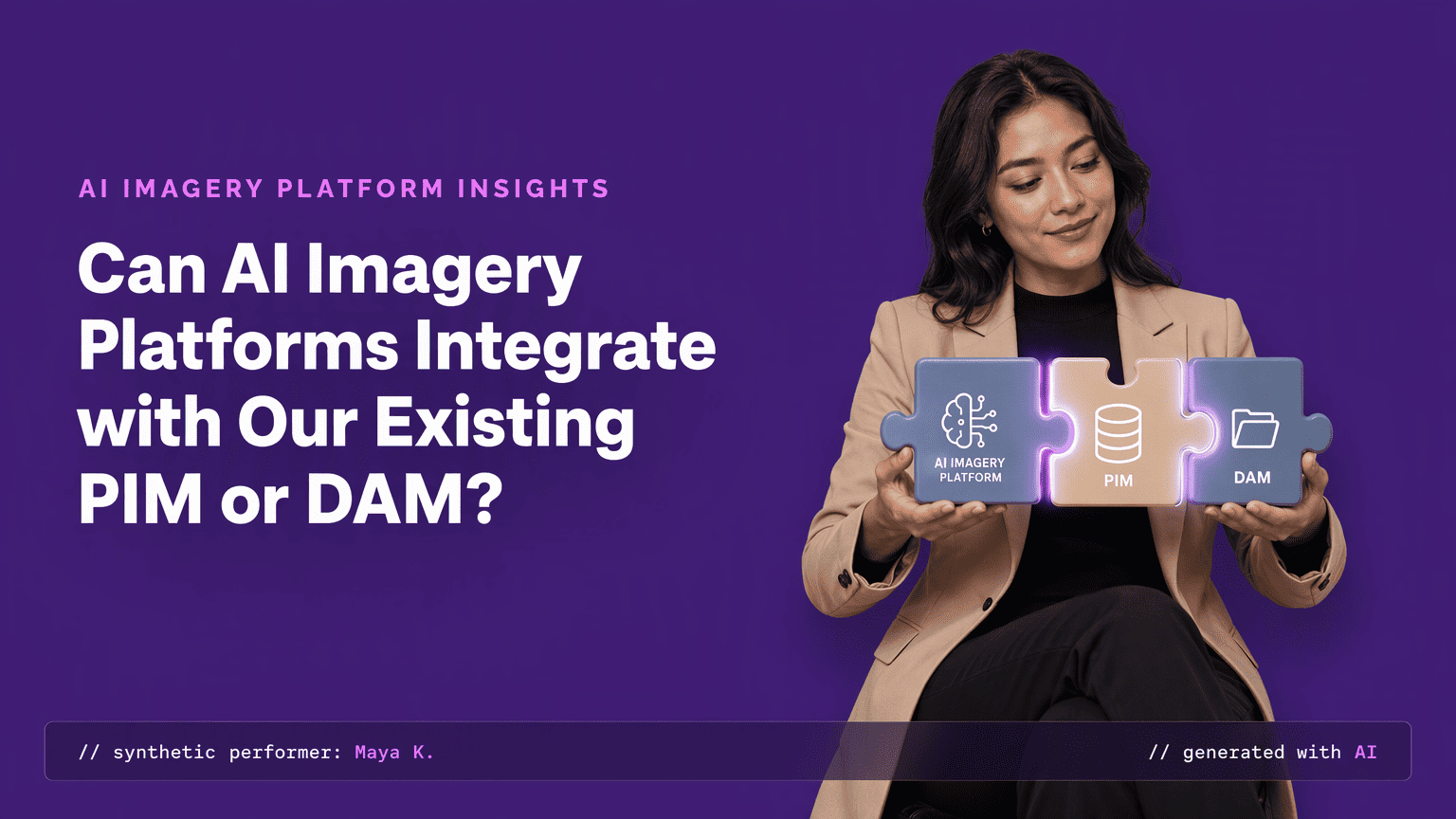
A PIM is a system that stores structured product data: SKUs, color hex codes, material names, dimensions. When an AI platform generates a product visual, the PIM supplies the factual scaffolding. If a sweater is merino wool in heather grey #B8B4A9, those attributes become direct prompt parameters. The AI reads a data field that specifies the fabric texture.
A DAM stores unstructured media files: the brand's reference images, logos, lighting guides, and previously approved hero shots. In an AI workflow, the DAM is the visual anchor. The platform pulls real assets to learn composition rules, styling systems, and the fit standards that define the brand. Conflating the two means an integration runs on garbled input: structured attributes get lost trying to drive visual training, and visual assets get mangled trying to supply factual product data. That confusion is the root cause of most failed integration attempts.
The Technical Blueprint: How AI Visual Platforms Connect to PIM and DAM Systems
The architecture is a three-step data loop that an engineering team can diagram on a whiteboard in under five minutes. Here is the sequence:
Query the PIM for product attributes: The AI platform calls a REST API, receives structured fields for each SKU, and maps those attributes to visual generation parameters.
Pull reference assets from the DAM: Using signed URLs or direct cloud storage connections, the platform retrieves approved brand imagery including flat lays, ghost mannequin shots, and previous on-model photos.
Generate and push images back: New visuals are rendered, then returned to the DAM with auto-generated metadata tags, usage rights, and a record of which PIM attributes drove the output.
Platforms like Lumesa encode this loop into a managed pipeline, capturing over 200 visual attributes from a brand's reference images into a Brand DNA system that standardizes how product truths and visual DNA converge before any image ships.
The Strategic Payoff: Why Direct Integration Unlocks Scalable, On-Brand Content
Without integration, the status quo is brittle: a designer exports PIM rows into a CSV, renames files by hand, and spends hours pasting metadata into a DAM after generation. A single typo in a color code and a whole batch is off-brand. Every handoff is a leak of time, money, and accuracy.
With an integrated pipeline, the same CSV import can generate thousands of variants from a single product template. Product data flows from the PIM directly into image parameters, and approved assets return to the DAM tagged and catalogued automatically. The human goes from churning out files to reviewing edge cases.
This shift eliminates the manual design handoff that bogs down seasonal launches. Forrester found that 29% of application leaders are extending an existing DAM rather than replacing it, reflecting a strategic choice to add AI capability without ripping out existing infrastructure.
You do not have to rebuild the stack. You connect it. The result is on-brand visual production that moves at the speed of your product calendar, keeping pace with your product calendar instead of a photoshoot schedule.
The Integration Landscape: Native Connectors vs. Custom API-First Approaches
You face a trade-off the moment you commit to integration: buy a ready-made connector or build your own sync logic. The 2026 market makes this choice concrete. Bynder ships a bidirectional connector for Akeneo that keeps your Bynder DAM and your Akeneo PIM in sync, without code, and its Enrichment Agents API can process up to 10,000 assets per request.
Akeneo builds AI asset tagging directly into its PIM. Celum offers pre-built enterprise connectors. These are turnkey: fast to deploy, limited to the logic the vendor designed.
The alternative is API-first development. You map exactly which PIM attributes drive which image parameters, and you own both the sync schedule and the edge-case handling. ImageKit provides SDKs and APIs that connect AI assistants like Claude and Cursor directly with DAM assets through MCP servers, and it processes petabytes of media and delivers billions of optimized assets every month. This path demands development time but hands you full control over every byte of data movement.
The decision hinges on one question: does your stack fit a standard pairing, or is it bespoke enough that you need to write the rules? For high-volume catalogs on custom PIM architectures, the API investment pays for itself within a few launch cycles.
Beyond the Generic API: How Managed Partnerships and Private AI Models Preserve Brand Integrity
A raw API connection is table stakes. It moves data. It does not enforce fit accuracy, drape behavior, or color fidelity, and it does not stop a public model from treating your brand assets as training fodder. This is the CMO’s actual fear: that generic AI will turn a carefully built visual identity into uncanny, off-brand output.
A managed implementation layer solves this by training private AI models on the brand’s own catalog. The system learns composition rules, styling systems, and lighting preferences before a single live image is produced. Lumesa’s pipeline, for instance, captures over 200 visual attributes from reference images into a Brand DNA model that acts as a style enforcement layer. The AI improves with every batch approved, so drift is caught and corrected rather than amplified.
This matters most for brands with strict visual guidelines. Generic tools produce acceptable images. Managed pipelines produce repeatable, guideline-locked images. Once the system is trained, you stop re-prompting every garment and chasing hemline distortions. The model carries the visual standard forward, and human editors review outputs against a known benchmark they can trust.
You are not just connecting APIs. You are encoding brand IP into a system that treats it as a protected, version-controlled asset.
A Practical Setup Guide: Steps to Build a Reliable PIM-DAM-AI Workflow
The conversion from theory to practice runs through four concrete steps. The table below maps them to the responsible team and the success condition so you can move from a Trello card to a working pilot.
Step | Owner | Success Condition |
Map PIM fields to AI image parameters | Content operations lead | Every color code, material name, and dimension has a direct AI input |
Configure DAM metadata schemas for AI tags | DAM administrator | AI-generated tags write into a defined schema with approval flags |
Establish human review gates before publish | Creative director | No AI image reaches production without an approved metadata record |
Pilot with a single product category | Project lead | One category runs end-to-end for two weeks with zero manual exports |
The Data Foundation: Metadata Standards That Make AI Integration Succeed
Integration is a metadata problem dressed as a technology problem. An API can connect systems in hours. The real work is making sure the data traveling across that connection is consistent, complete, and governed. Every product record must carry structured attributes ready to be consumed as prompt parameters: hex codes for color, material names for fabric simulation, precise dimensions for drape calculations.
Naming conventions are non-negotiable. If one SKU stores color as "Heather Grey" and another as "grey-heather-02," the AI will produce two visually different garments from what should be the same input. The Bynder-Akeneo connector documentation makes this concrete: every field of a job configuration expects a technical code, and codes are case-sensitive, so `Packshot` and `packshot` are two different asset families.
Rights metadata must travel alongside every generated asset. Usage windows, model royalty terms, and brand guideline constraints cannot be stripped when an image moves from DAM to AI and back. If the rights record gets lost in transit, the legal exposure sits on the compliance team, not the AI vendor.
The prerequisite is not glamorous, but it is absolute: clean metadata. Without it, the most sophisticated middleware generates fast, wrong, and legally risky visual content.
Conclusion
AI imagery platforms can connect to your PIM and DAM today. The native connectors shipping in 2026 turn what used to be a quarter-long integration into a two-week proof of concept. The real fork in the road is straightforward: bank on the speed of a turnkey connector or invest in the deeper control of a custom API architecture, layered with a managed pipeline that keeps every output locked to your brand identity.
Stall that decision, and you hand your competitor a content velocity advantage that compounds. While you deliberate, they ship 10,000 on-brand variants from a single data feed. That gap widens with every launch cycle you sit out.
See Which Fit Makes Sense for Your Catalog
If you're trying to figure out whether your actual need is a full catalog production platform or a narrower feature like a simple try-on preview, request a demo and we'll talk through the actual scope of what you're solving for, not just the platform's capabilities.
Frequently Asked Questions
What is the difference between a PIM and a DAM, and why does the distinction matter for AI image generation?
A PIM stores structured product data like SKUs and color hex codes. A DAM stores unstructured media files like images and logos. The distinction matters because AI platforms need the PIM for factual product attributes that become prompt parameters, and the DAM for reference visuals that anchor brand consistency. Conflating the two produces garbled, off-brand output.
How does an AI visual platform like Lumesa integrate with a brand's existing PIM or DAM system technically?
Integration follows a three-step loop: the platform queries the PIM via REST API for product attributes, pulls reference assets from the DAM using signed URLs, generates new images, and pushes them back into the DAM with auto-generated metadata. Lumesa encodes this into a managed pipeline that captures over 200 visual attributes from reference images before generation.
What are the key benefits of connecting AI image generation directly to a product data or digital asset management system?
Direct integration eliminates manual file exports and copy-paste metadata. A single CSV import can generate thousands of on-brand variants, human reviewers shift from production to quality oversight, and every generated asset returns to the DAM correctly tagged and catalogued for reuse across channels.
Which AI imagery platforms offer native integrations or APIs for major PIM and DAM solutions in 2026?
Bynder offers a bidirectional connector for Akeneo PIM and an Enrichment Agents API processing 10,000 assets per request. Akeneo builds AI tagging into its PIM. Celum provides pre-built enterprise connectors. ImageKit delivers an API-first DAM with MCP servers for AI assistants. Lumesa provides a managed pipeline rather than a self-serve connector.
What steps should an ecommerce team take to set up a workflow between their DAM/PIM and an AI image generator?
Integration follows four sequential steps:
Map every PIM product attribute to an AI generation parameter first.
Configure your DAM metadata schema to accept AI-generated tags with approval flags.
Establish quality review gates where no image reaches production without a human signoff.
Pilot the full pipeline with a single product category before scaling to the entire catalog.
What data standards and metadata practices are necessary for AI platforms to successfully consume assets from a PIM or DAM?
Consistent naming conventions across all SKUs are required because technical codes are case-sensitive. Every asset needs structured product attributes like color hex codes and material names, plus rights metadata covering usage windows and brand guidelines, all of which must travel intact between systems during integration.
Sources
Image and Video API + AI-powered DAM | ImageKit.io - imagekit.io
How to Integrate DAM with Your CMS and PIM | The DAM Brief - thedambrief.com
Introduction - Dataggo Connect Platform - Docs - docs.connect-platform.dataggo.com
Comments